
Bitget CFD launches Standard+ mode—affiliates earn up to 20 USDT/lot on gold
1. What is Standard+ mode?
Key features
-
Zero commission: trades carry no fixed commission, but overnight swap fees still apply.
-
All-in markup: a simple, transparent cost structure. Affiliates who want higher rebates can recommend it to their referrals.
-
Instrument names with a .p suffix: in Standard+ mode, every instrument name ends in .p. For example, gold is displayed as XAUUSD.p, and the Nasdaq 100 Index is displayed as NAS100.p.
-
Full range of trading instruments: Standard+ mode covers the same instruments as ECN mode.
-
Same specifications as ECN mode: tiered leverage, contract size, price precision, overnight swap fee rules, and other specifications match the corresponding instruments in ECN mode.
2. What do users pay, and what do affiliates earn?
For users: Standard+ spreads
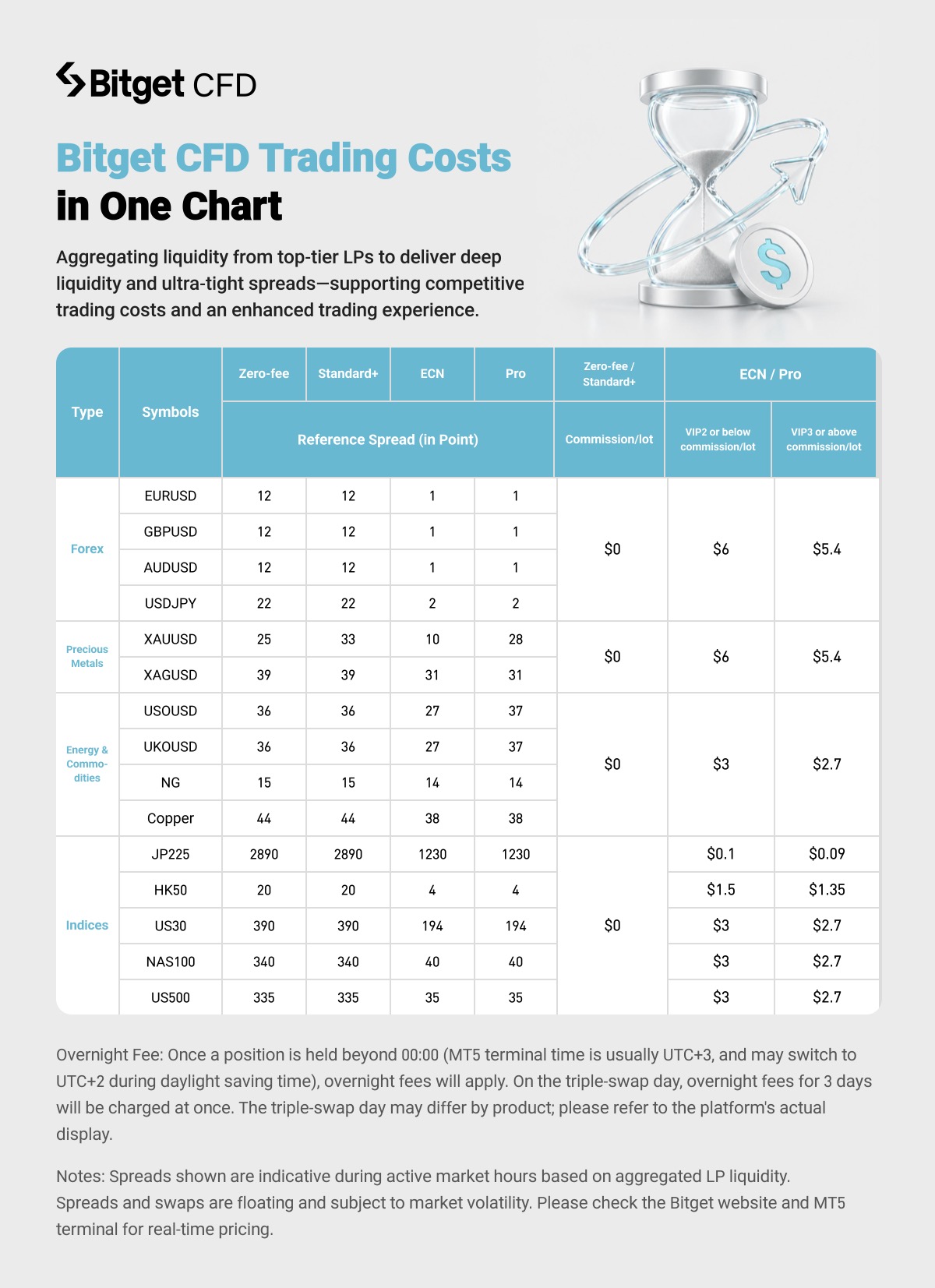
The spreads above are reference quotes during active market hours. Actual spreads vary with market volatility. Real-time quotes on the Bitget website and MT5 terminal take precedence.
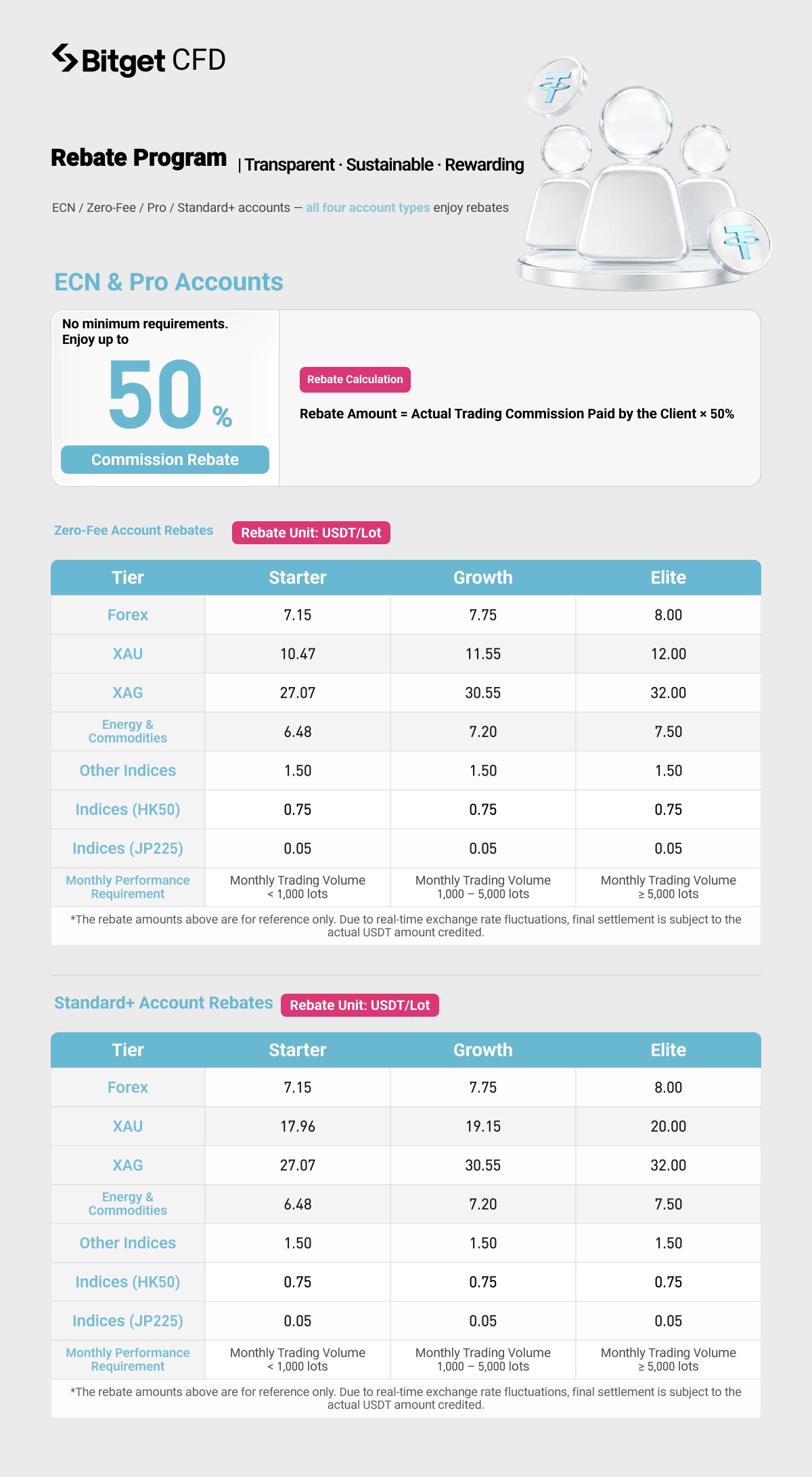
For affiliates: rebate overview
3. How do affiliates generate referral links preset to Standard+ mode?
In the app
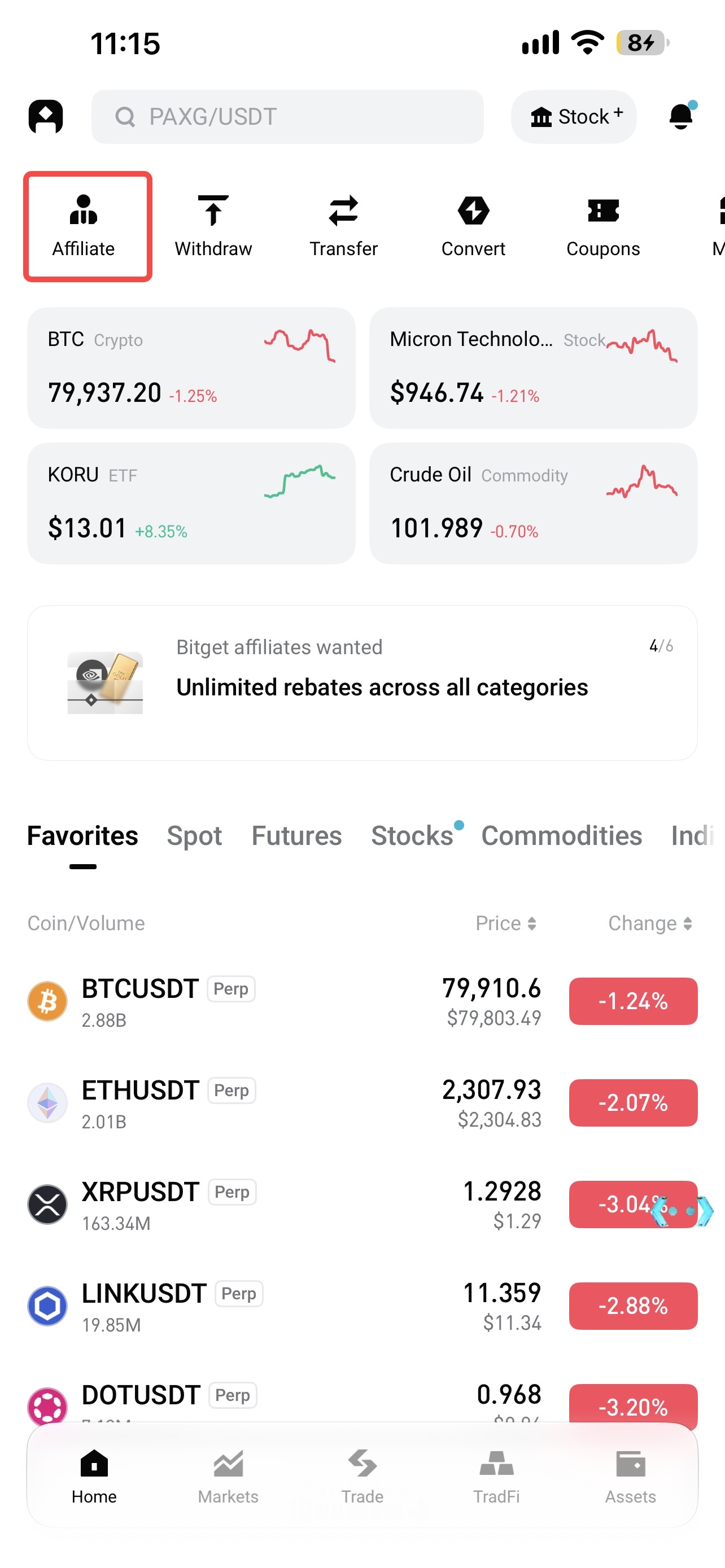
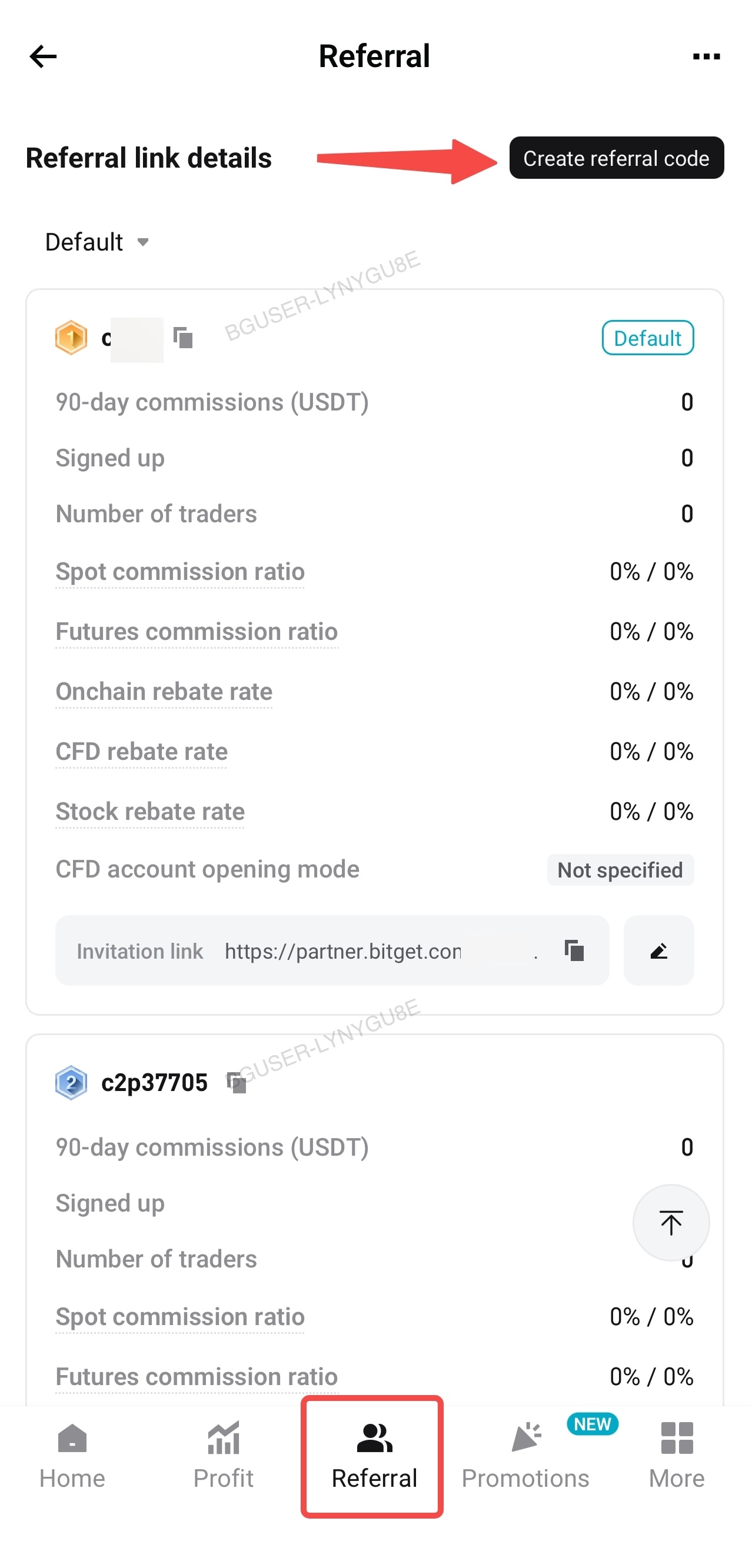
1. Go to Affiliate Portal → Referral Center → Referral Promotion → Create Referral Code.
 |
 |
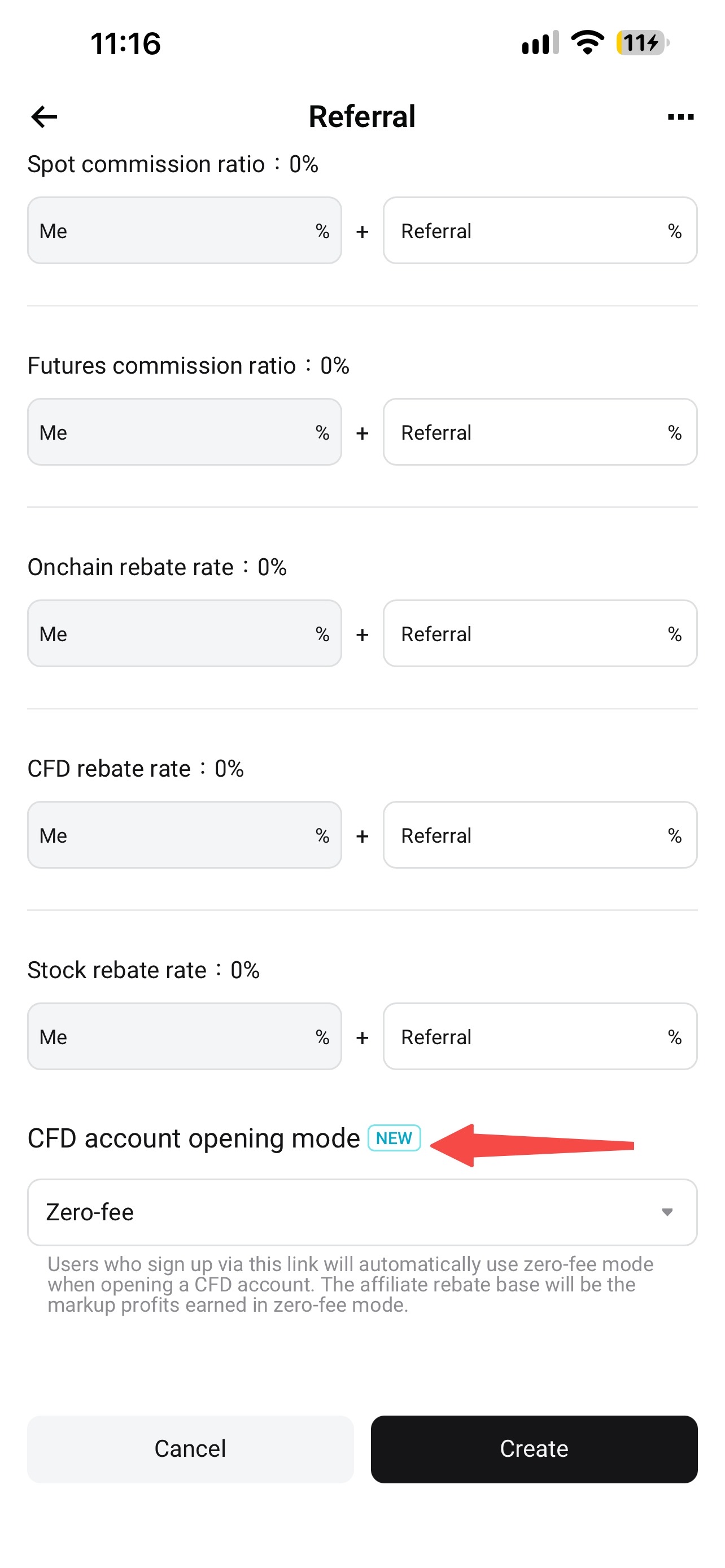
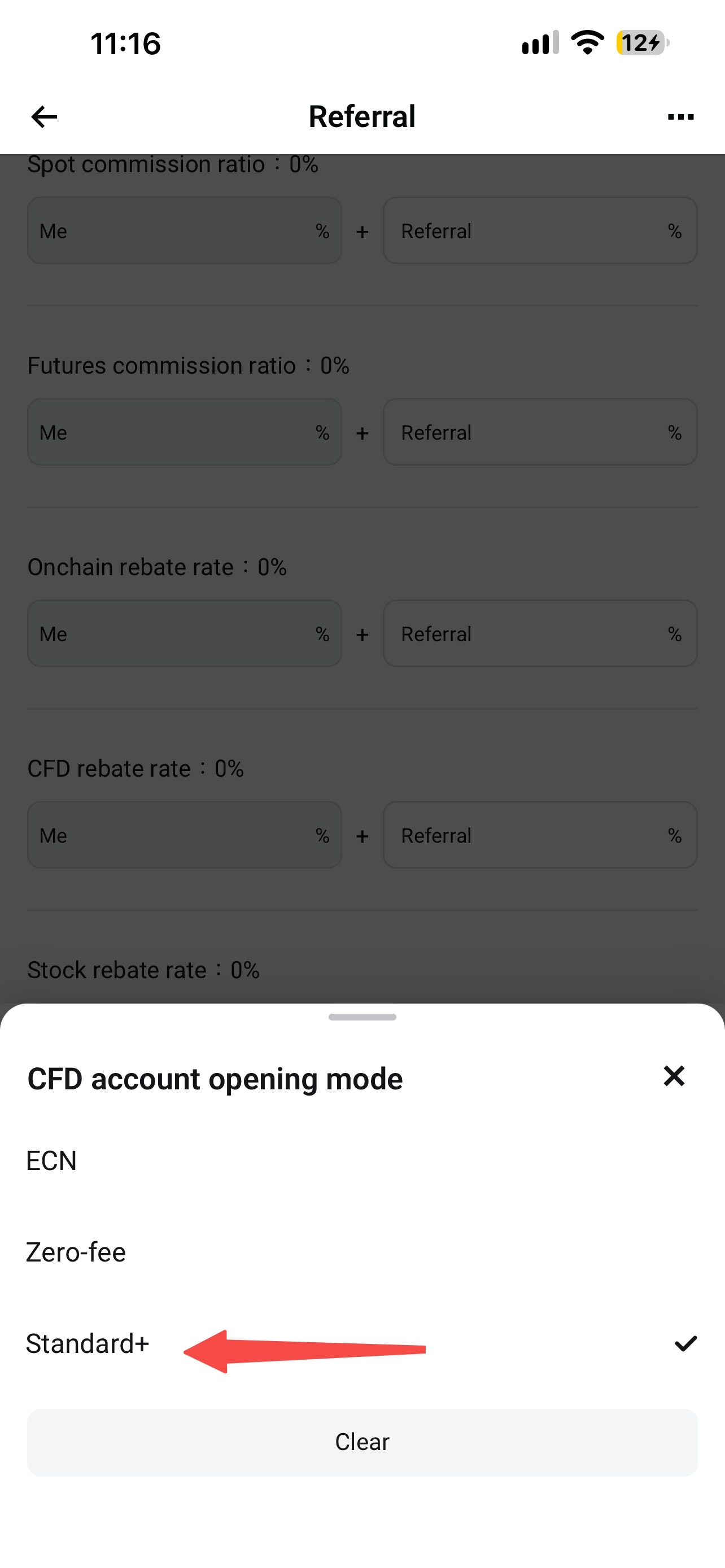
2. Find the new CFD Account Opening Mode option and select Standard+ from the dropdown menu (the default is zero-fee mode).
 |
 |
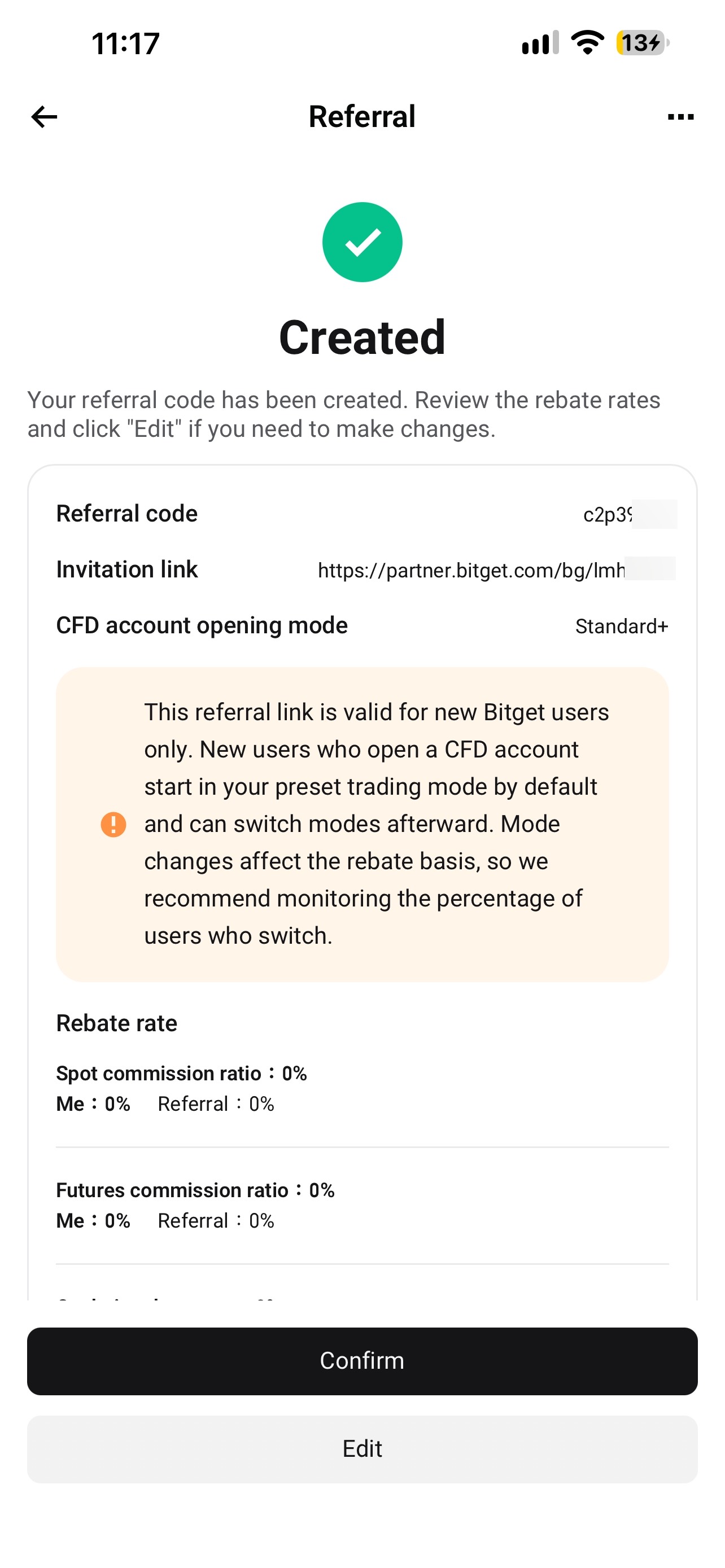
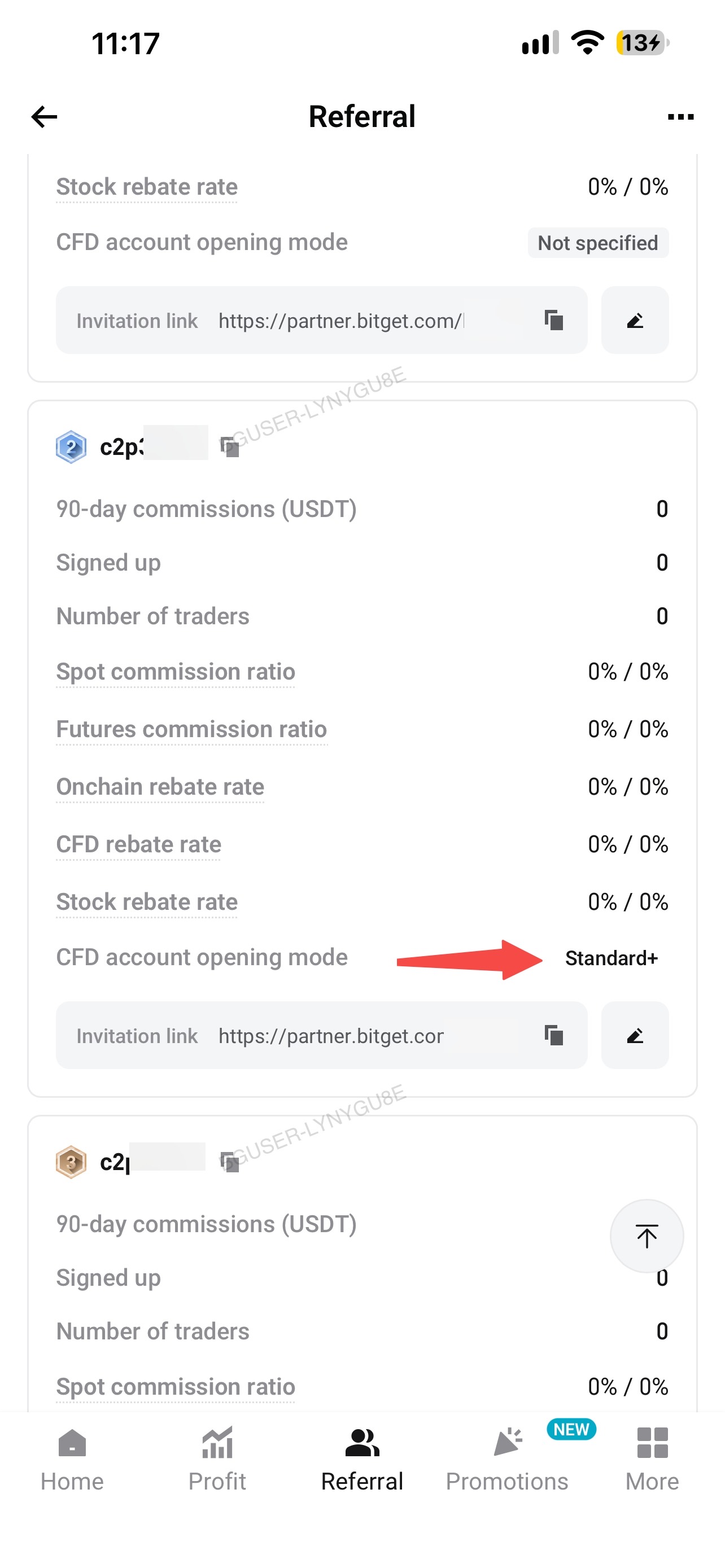
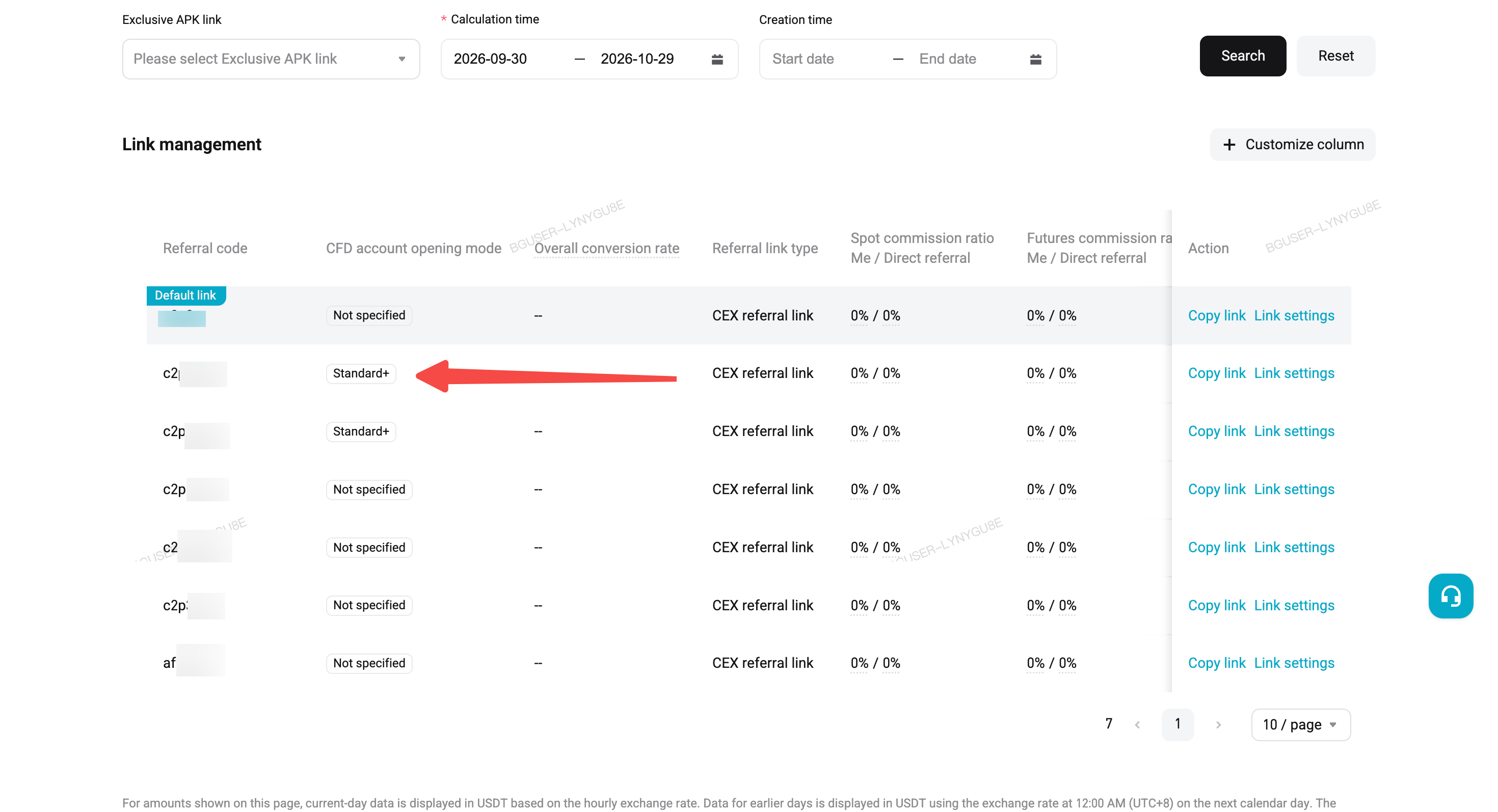
3. Confirm and create the link. The info card on the confirmation page shows the selected mode. You can also check it later on the "Link Settings" page. The referral link list also has a new "CFD Account Opening Mode" column for each link's mode. Existing links without a mode are marked "Not Specified" in this column. Note: you can't change a link's CFD account mode after it's created. To use a different mode, create a new referral link.
 |
 |
On the website
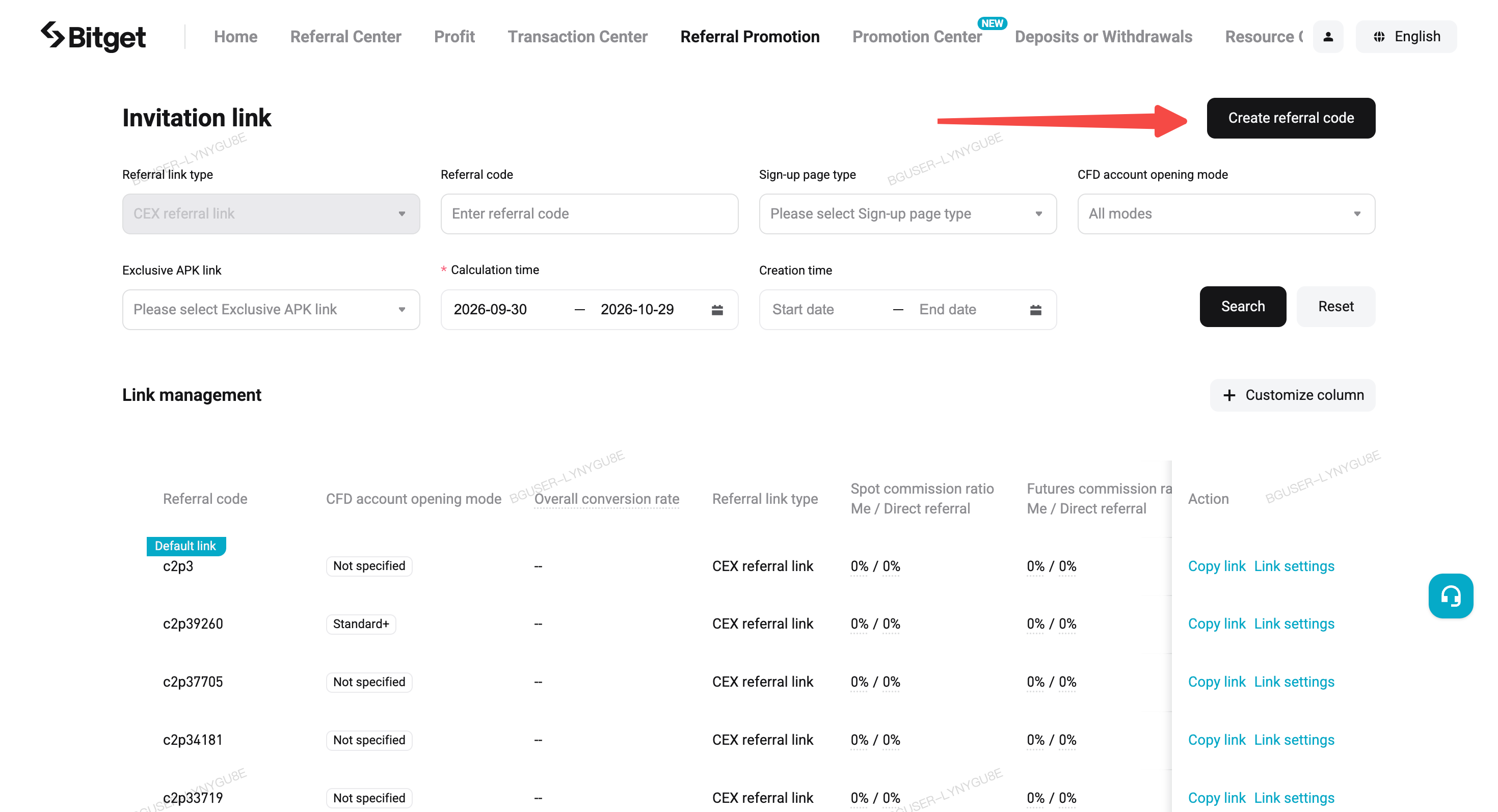
1. Go to Affiliate Portal → Referral Promotion → Create Referral Code.
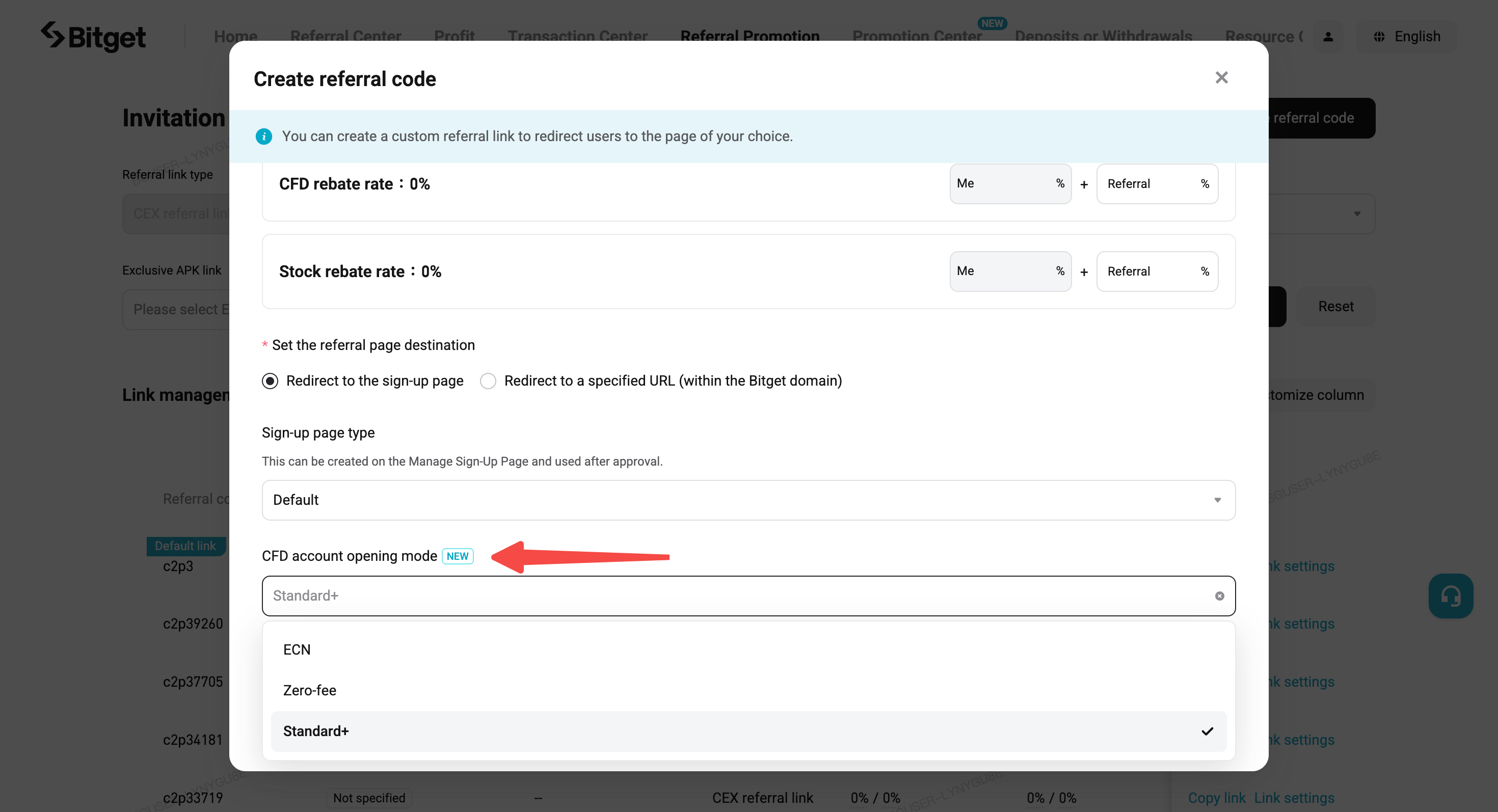
2. Find the new CFD Account Opening Mode option and select Standard+ from the dropdown menu (the default is zero-fee mode).
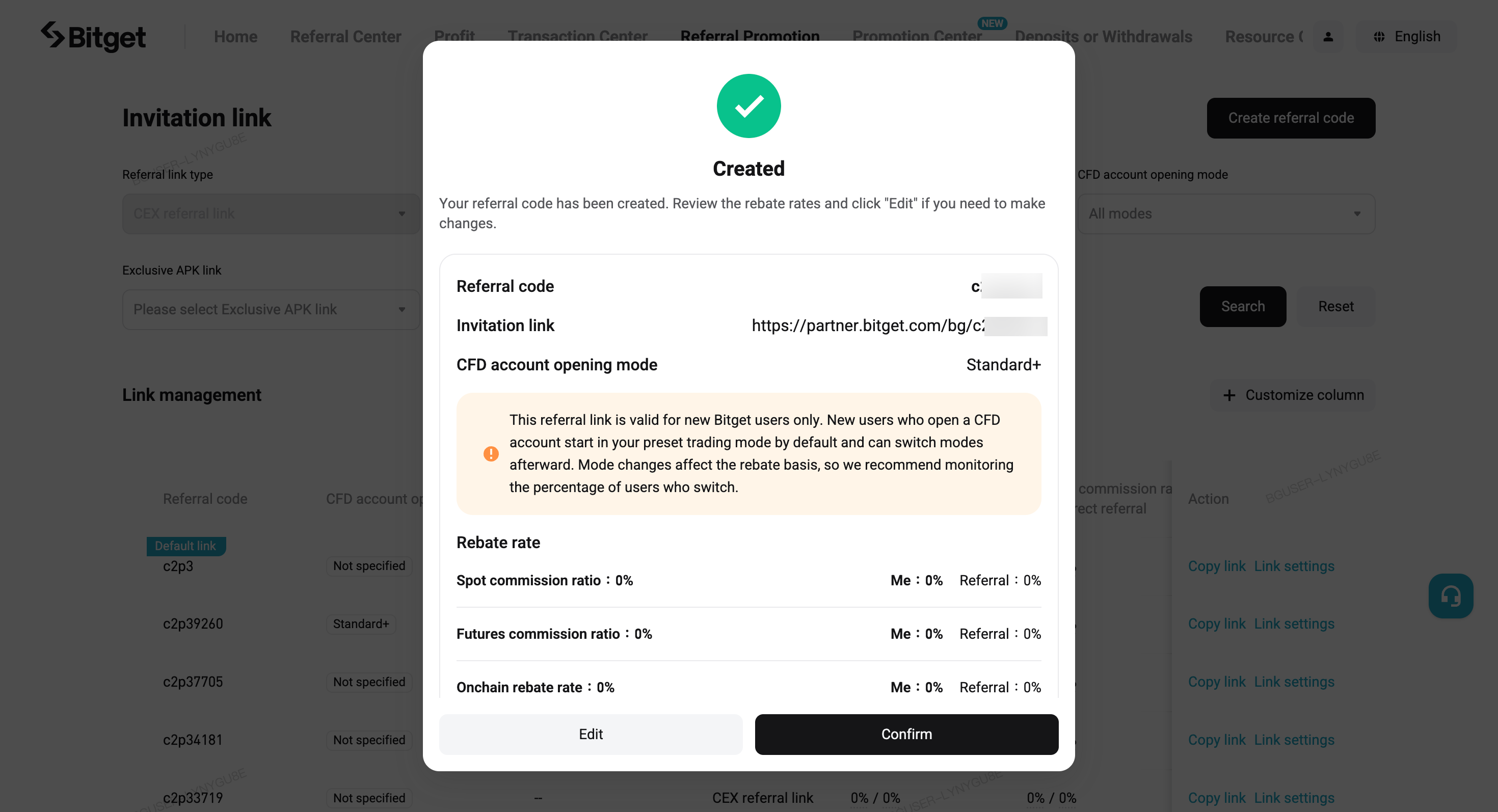
3. Confirm and create the link. The info card on the confirmation page shows the selected mode. You can also check it later on the "Link Settings" page. Note: you can't change a link's CFD account mode after it's created. To use a different mode, create a new referral link.
4.Checking your links later: you can find each link's mode tag on the "Link Settings" page. The referral link list also has a new "CFD Account Opening Mode" column after the referral code column, with a filter dropdown. Existing links without a mode are marked "Not Specified" in this column.
4. How can affiliates help users switch to Standard+ mode?
In the app
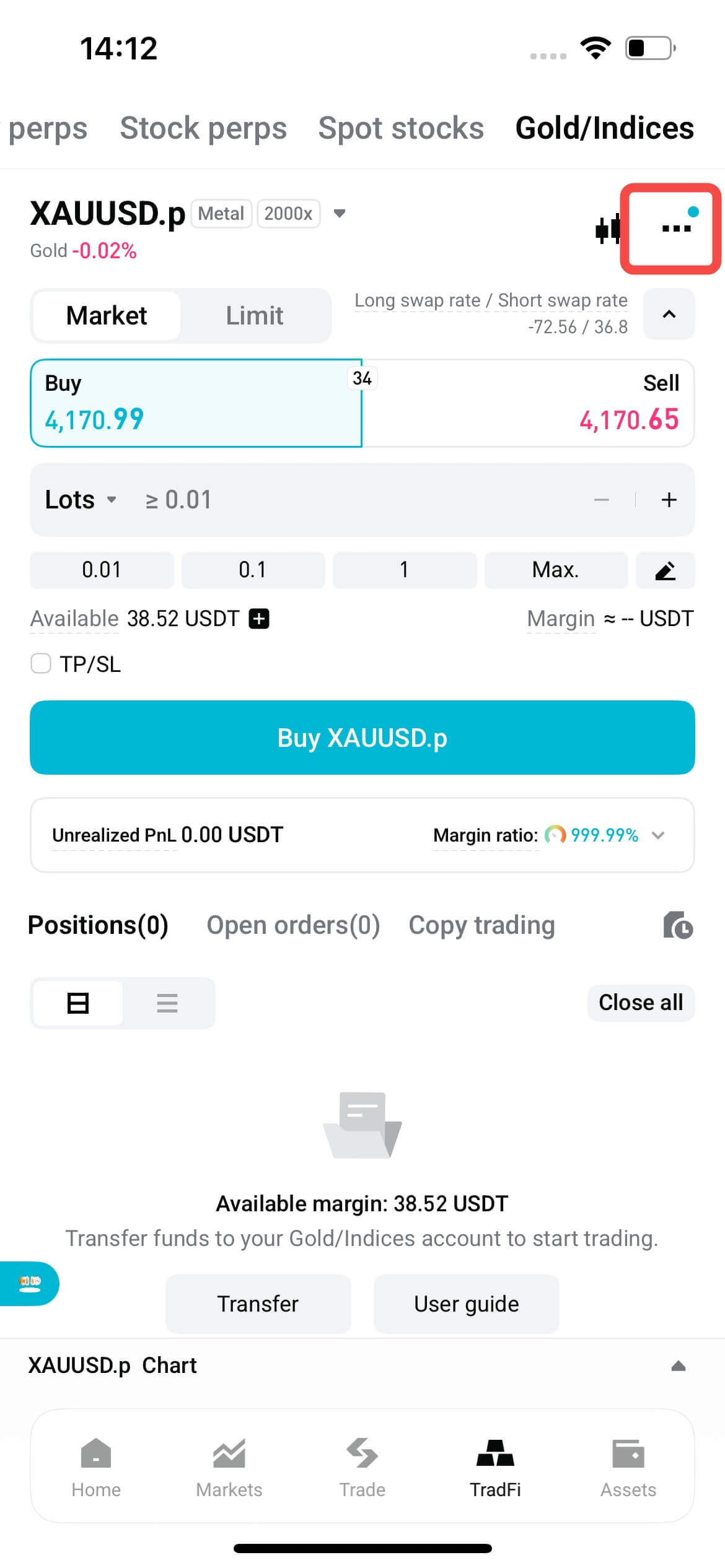
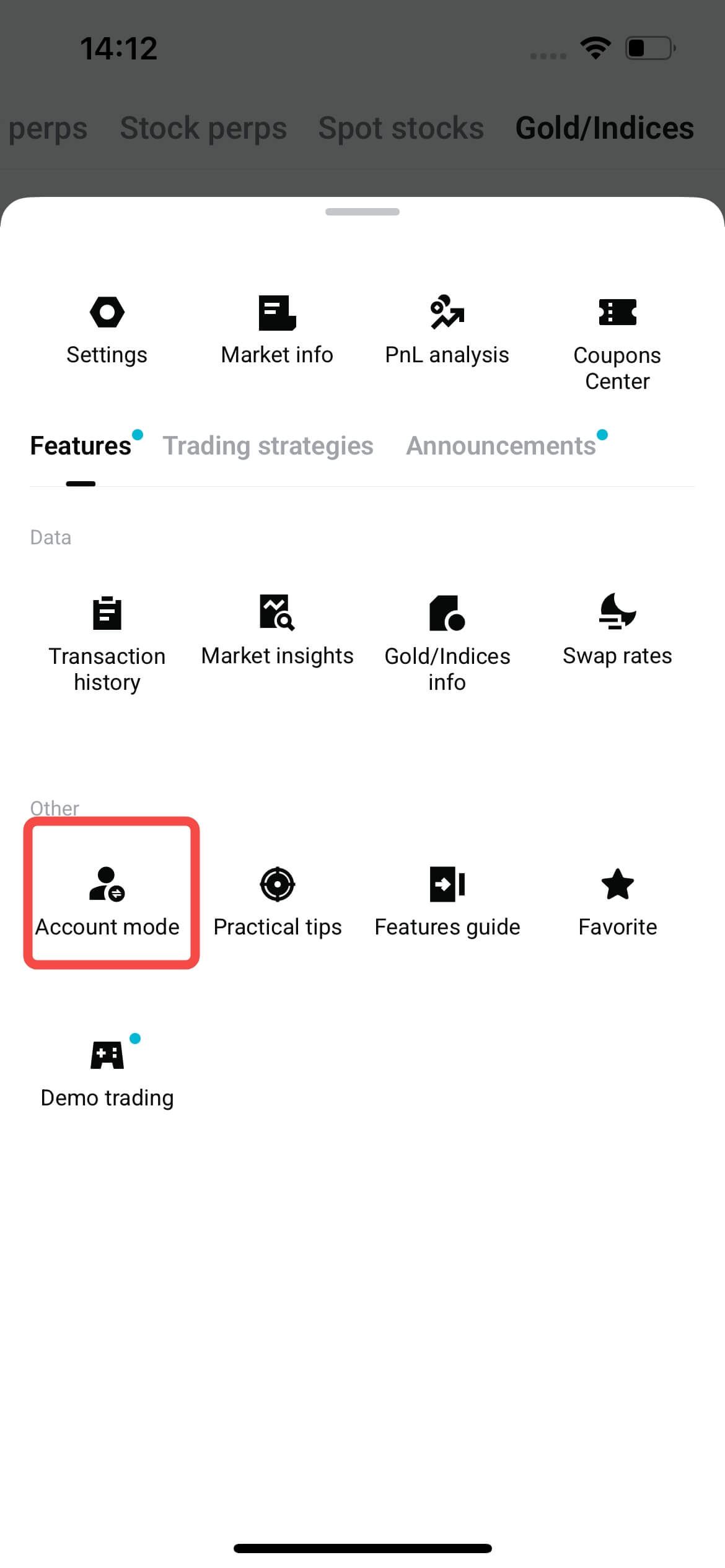
1. Find Account mode settings: On the trading page, tap Account Mode to open the selection window.
 |
 |
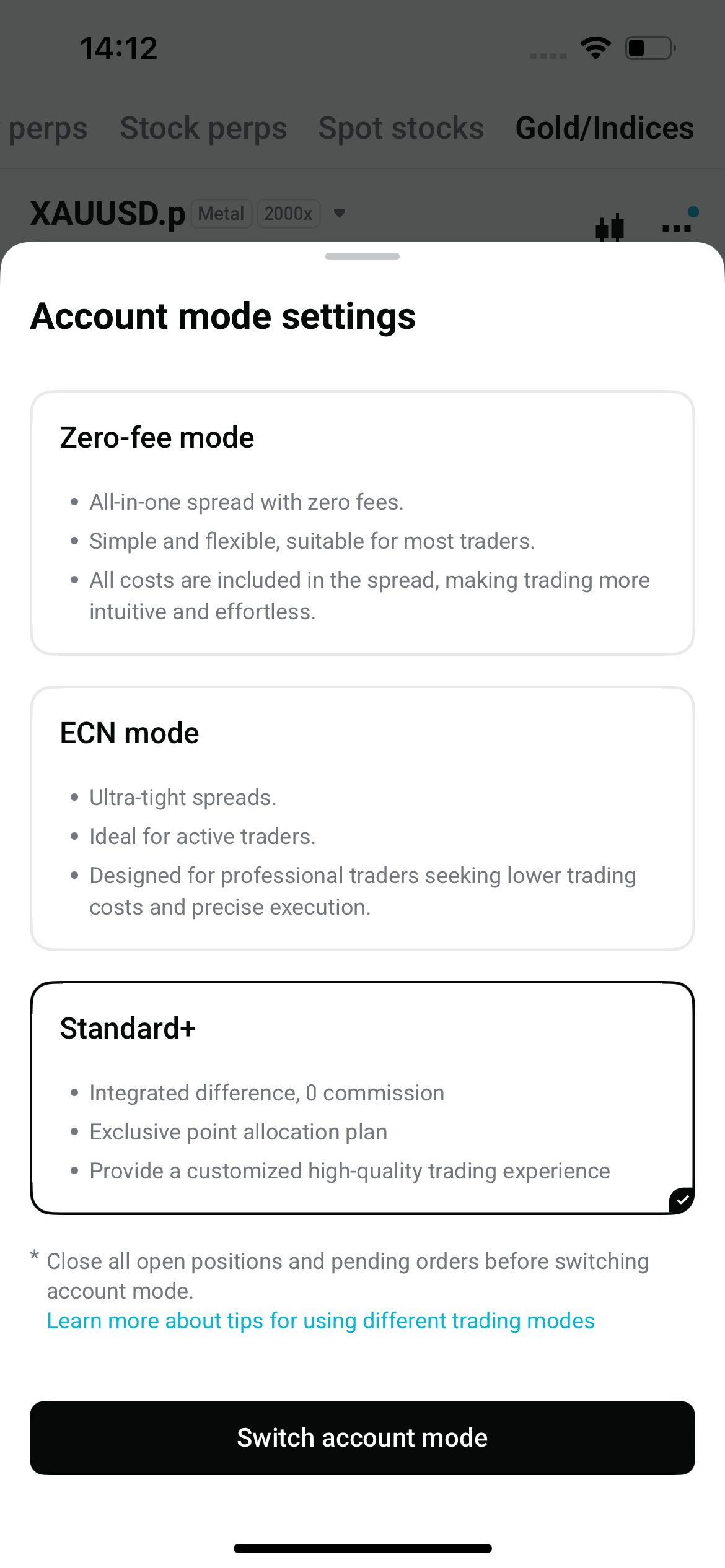
2. Select Standard+ and confirm: In the pop-up window, select Standard+ and confirm the change. Your account must have no open positions or pending orders before you switch. The change takes effect immediately.
On the website
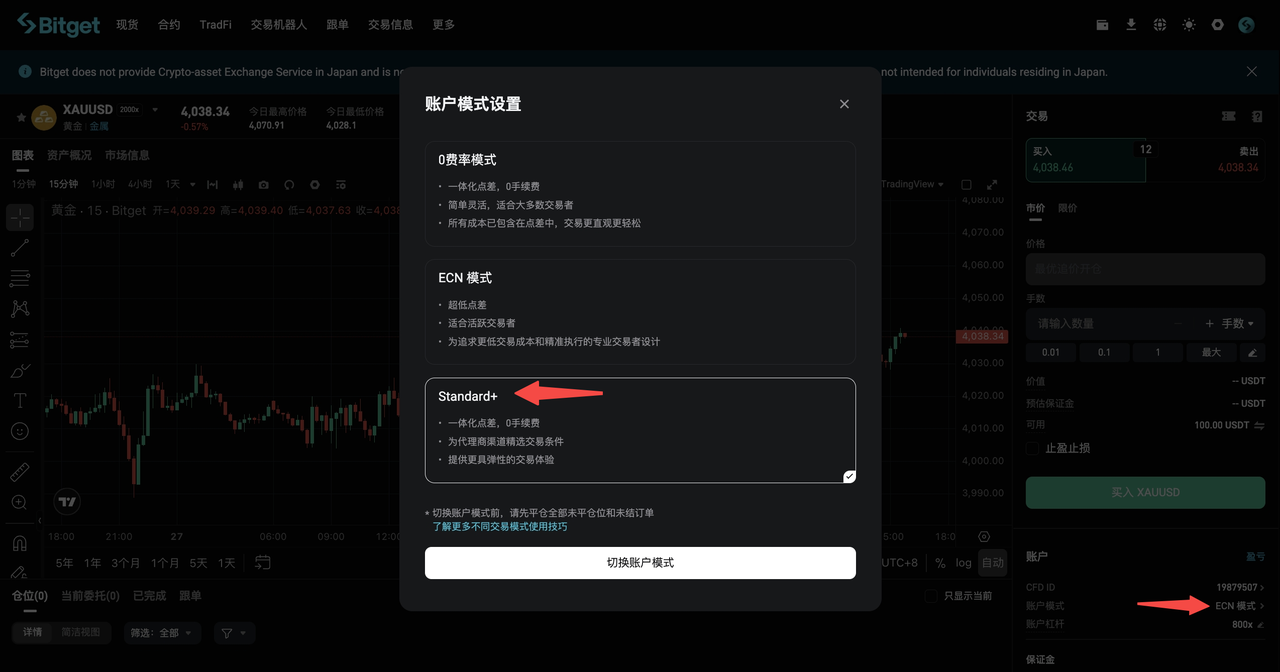
-
App users must update to Bitget app version 2.95.0 or later to trade in Standard+ mode.
-
Before switching account modes, make sure you have no open positions or pending orders.
-
Instruments in Standard+ mode are identified by the .p suffix. Make sure you select the correct instrument before placing an order.
-
Each referral code can have only one CFD account mode. To target different user segments, create a separate link for each mode.
-
Users can switch modes themselves after opening an account. Mode changes affect your rebate basis, so we recommend tracking how many users switch.
-
Standard+ and zero-fee modes have identical spreads and affiliate rebates for every instrument except gold (XAUUSD). For gold, the user spread is slightly higher, and so is the affiliate rebate.


- 1. What is Standard+ mode?
- 2. What do users pay, and what do affiliates earn?
- 3. How do affiliates generate referral links preset to Standard+ mode?
- 4. How can affiliates help users switch to Standard+ mode?